Installing the BetPro PK app on an Android phone starts with downloading the correct APK and following Android's installation process carefully. For users in Pakistan who are installing the app directly rather than through an app store, it is especially important to know where the file came from and to keep Android's built-in security protections enabled.
This guide explains how to download the BetPro APK, open the downloaded file, complete the installation and deal with some of the common issues that can appear during the process.
What Is the BetPro APK?
An APK is an Android application package. It is the file format Android uses when installing an application. When an Android application is distributed directly from a website, users normally download an APK file and then open that file to begin installation.
For BetPro PK users, the BetPro PK download page provides the direct APK download path together with installation information.
If you are looking for a broader overview of the application before installing it, read our BetPro App for Android in Pakistan guide.
Before You Download the BetPro APK
Before downloading any Android application outside an app store, check that you are using the website and download link you intended to use. Avoid searching for random copies of an APK on unrelated download websites.
Google warns that applications obtained from sources outside Google Play can present additional risks to a device or personal information. Android includes Google Play Protect to check applications for potentially harmful behaviour, including applications installed from other sources.
For that reason, keep Android's security protections enabled rather than disabling them simply to complete an installation.
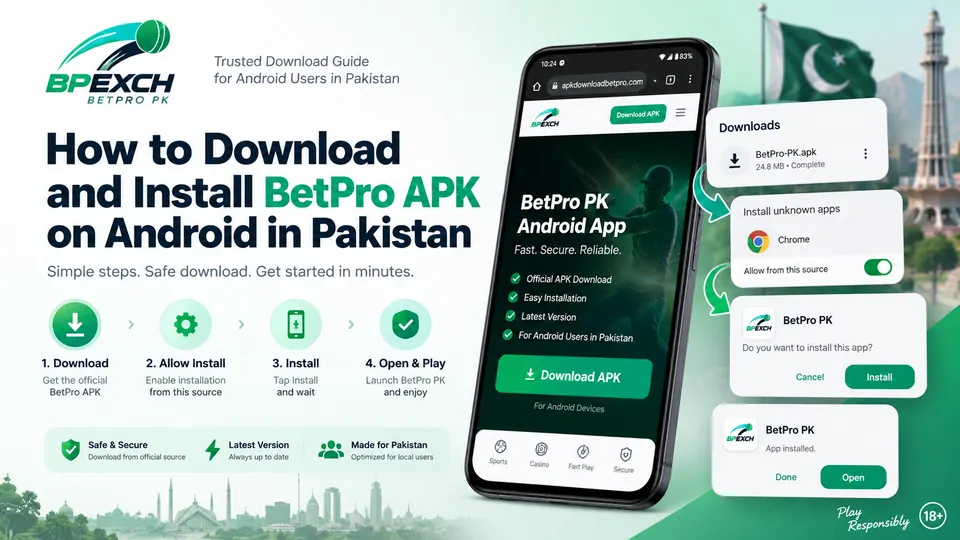
How to Download BetPro APK on Android
- Open your preferred browser on your Android phone.
- Visit apkdownloadbetpro.com.
- Open the Download APK page.
- Tap the BetPro PK APK download button.
- Wait for the APK file to finish downloading completely.
- Open the downloaded file from your browser's download notification or your phone's Downloads folder.
Do not attempt to open a partially downloaded file. If the download was interrupted, start a fresh download from the intended download page.
How to Install BetPro APK
After the APK has finished downloading, tap the downloaded file. Android should open its package installer and guide you through the remaining steps.
- Open the downloaded BetPro APK.
- Review any Android installation message displayed on the screen.
- If Android requires permission for your browser or file manager to install an application from that source, review the request carefully.
- Continue only if you intentionally downloaded the APK from the source you expected.
- Tap Install when Android presents the installation option.
- Wait for Android to complete the installation.
- When installation finishes, open BetPro PK from the confirmation screen or your app drawer.
The exact wording and location of Android settings can vary by Android version and phone manufacturer, so Samsung, Xiaomi, Infinix, Tecno and other devices may not display exactly the same screens.
Why Android May Ask for Installation Permission
Android distinguishes between applications installed through Google Play and applications obtained from other sources. When an APK is opened from a browser or file manager, Android may require permission for that particular source before the installation can proceed.
This protection should not be treated as an inconvenience to disable permanently. Review the source and file before allowing an installation. If you no longer need the permission after installing the application, you can review the relevant setting again on your device.
Keep Google Play Protect Enabled
Google Play Protect is an Android security feature that checks applications for potentially harmful behaviour. Google states that Play Protect also checks applications obtained from sources outside Google Play and may warn about, disable or remove applications it identifies as harmful.
Keeping Play Protect enabled gives Android another opportunity to identify suspicious software. If Android displays a security warning, read it rather than automatically bypassing it.
Where to Find the Downloaded APK
If the download completes but you cannot find the file, first check your browser's Downloads section. You can also open your phone's file manager and look in the Downloads folder.
The exact location depends on the browser and Android device. Chrome and other browsers usually provide access to recent downloads from their menu.
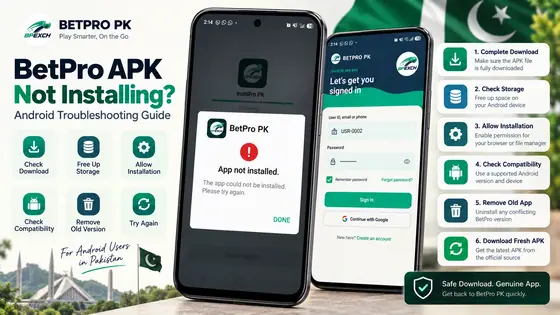
What If the BetPro APK Does Not Install?
An APK installation can fail for several reasons, and an installation error does not automatically identify one particular problem.
Start with these basic checks:
- Confirm that the APK finished downloading.
- Make sure your phone has sufficient free storage.
- Check whether Android is waiting for installation permission for the browser or file manager you used.
- Restart the phone and try opening the downloaded file again.
- If the download appears incomplete, delete that file and download a fresh copy from the intended website.
- Check whether an existing installation is creating a version or installation conflict.
We will cover these situations in more detail in our dedicated BetPro APK installation troubleshooting guide.
What If Android Shows a Security Warning?
Do not automatically ignore an Android security warning just because you want to finish an installation.
First confirm that you deliberately initiated the download and that the file came from the download location you intended to use. Keep Play Protect active and review the information Android presents.
If you are uncertain about the file or its origin, cancel the installation and verify the download source before proceeding.
After Installing BetPro PK
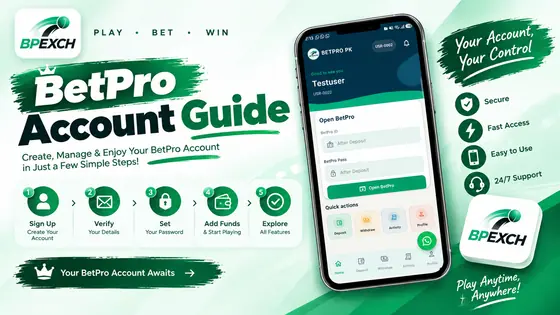
Once installation is complete, the BetPro PK application should appear with your other installed Android applications. Open it normally from your app drawer.
Protect your account information after installation as carefully as you protected the APK download itself. Never give another person your password, one-time password, verification code or account-recovery information.
If somebody contacts you unexpectedly and asks for an OTP or password while claiming to provide support, do not provide those credentials.
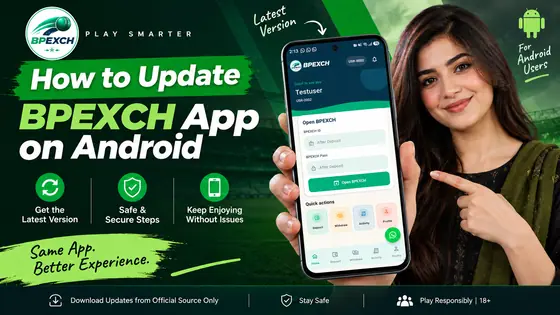
Updating the BetPro PK Android App
When an updated APK becomes available, use the intended BetPro PK website and published update information rather than searching for modified or unofficial copies elsewhere.
The update process may involve downloading the newer APK and following Android's installation prompts. The exact behaviour can depend on the installed version and device configuration.
We will maintain a separate BetPro PK Android update guide so users can check the appropriate process when a new release is available.
APK Installation Safety Checklist
Before completing an APK installation, use this short checklist:
- Confirm that you intended to download the application.
- Verify the website and download link before opening the APK.
- Wait for the download to finish completely.
- Keep Google Play Protect and Android security features enabled.
- Read Android warnings and permission requests before accepting them.
- Do not install random copies from unrelated websites.
- Never share passwords, OTPs or recovery codes.
BetPro APK Installation in Pakistan: Frequently Asked Questions
Can I install the BetPro APK directly on Android?
Android supports application installation from sources outside Google Play, subject to the device's security settings and protections. The exact prompts can differ according to Android version and manufacturer.
Why does Android ask me to allow installation from a source?
Android controls whether applications such as a browser or file manager can initiate APK installations. If permission is required, review the source carefully before allowing it.
Should I disable Google Play Protect to install the APK?
No. Google recommends keeping Play Protect enabled. It checks applications for potentially harmful behaviour and can also examine applications installed from outside Google Play.
Where can I find the BetPro APK after downloading it?
Check your browser's Downloads section or the Downloads folder in your Android file manager.
What should I do if the APK download was interrupted?
Delete the incomplete file and download a fresh copy from the intended download page. Avoid trying to install a partially downloaded APK.
Can the installation screens look different on different phones?
Yes. Android versions and manufacturer interfaces differ, so Samsung, Xiaomi, Infinix, Tecno and other phones can use different wording or menu locations.
Download BetPro PK for Android
If you are ready to continue, visit the BetPro PK APK download page for direct APK access and installation information.
For a broader introduction to the app, features covered by this website and information for users in Pakistan, see our BetPro App for Android in Pakistan guide.
18+ only. Use only where permitted by applicable law. Keep participation within limits you can afford and review our Responsible Play guidance.