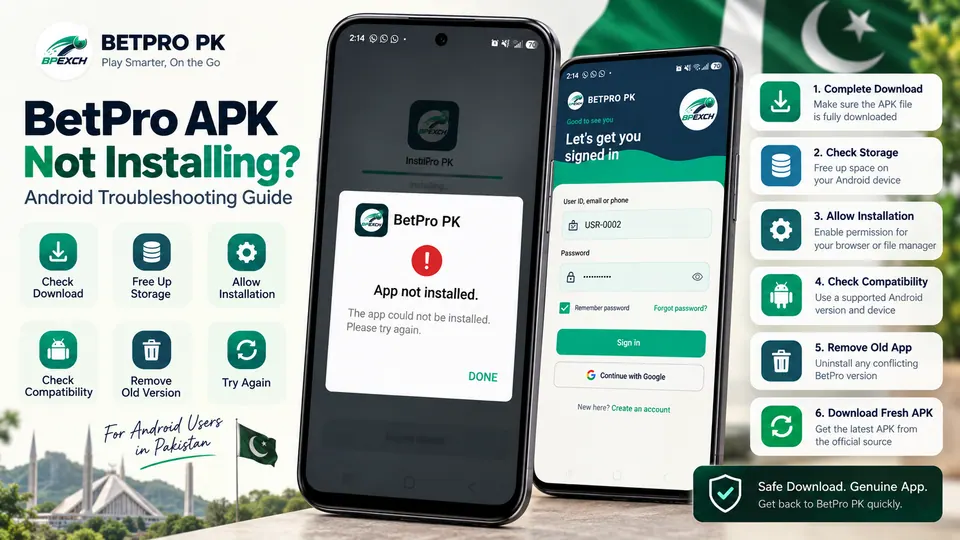
Installing the BetPro PK app on Android should normally be straightforward, but APK installations can sometimes fail because of an incomplete download, insufficient storage, Android permissions, an older conflicting installation, or device compatibility.
If the BetPro APK is not installing, avoid repeatedly changing security settings or downloading APK files from unknown websites. Instead, work through the checks below one by one.
This guide is intended for Android users in Pakistan who are having trouble downloading, installing, updating, or opening the BetPro app.
Why Is the BetPro APK Not Installing?
When Android displays messages such as “App not installed”, “There was a problem parsing the package”, or simply refuses to continue with an installation, the message does not always identify the exact cause.
Common causes can include:
- The APK did not download completely.
- There is not enough available device storage.
- The browser or file manager does not have permission to install apps from that source.
- An existing installation conflicts with the APK being installed.
- The APK is incompatible with the device or Android version.
- The downloaded file has become corrupted.
- Android security features have identified something requiring attention.
Start with the simplest checks before making larger changes to your phone.
1. Check That the APK Download Completed
First, make sure the BetPro APK download actually finished.
Open your browser's Downloads section or your Android file manager and locate the downloaded APK. If the download was interrupted because of a network problem, browser closure, or another error, the resulting file may be incomplete and Android may not be able to install it.
If you are uncertain about the file, delete the incomplete copy and download it again from the intended BetPro PK download source.
Do not try to repair, rename, or obtain a replacement APK from an unfamiliar third-party website.
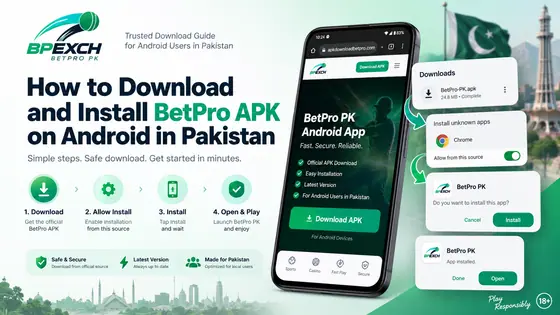
For the complete download and installation procedure, see our BetPro APK installation guide.
2. Make Sure Your Android Device Has Enough Storage
APK installation requires available storage not only for the downloaded file but also for the installed application and temporary installation processes.
Check your device's storage information in Android Settings.
If storage is nearly full, consider removing files or applications you genuinely no longer need. After freeing some space, try the installation again.
Avoid deleting Android system files or application data unless you understand what will be removed.
3. Allow Installation From the Required Source
Android normally restricts applications installed outside its usual app-store installation process. Depending on your Android version and device manufacturer, you may need to permit the browser or file manager you are using to install the APK.
The wording and location of this option varies between Android versions and manufacturers. It may appear under settings related to:
- Apps
- Special app access
- Security
- Install unknown apps
- Installation sources
Choose the specific browser or file manager being used to open the APK and review its installation permission.
Do not permanently disable Android security protections.
If you temporarily allow installation from a particular source, you can disable that permission again after the installation is complete.
4. Check Android Version and Device Compatibility
Not every APK necessarily works with every Android device.
Compatibility can depend on factors such as the Android version, device architecture, application requirements, and how the APK was built.
If Android reports that the package is incompatible, do not attempt to bypass the warning using unofficial modification tools.
Also avoid downloading a supposedly “fixed,” “modded,” or altered BetPro APK from an unknown website. Such files are outside the intended download process and may introduce security risks.
The exact minimum Android version should only be stated when confirmed by official BetPro PK information. Do not rely on specifications published by unrelated APK directories.
5. Remove an Older or Conflicting BetPro App Installation
An existing installation can sometimes conflict with a new APK.
This can happen when an installed application and the APK being installed do not match in a way Android expects.
Before uninstalling anything, remember that removing an application can also remove locally stored application data.
If you decide that reinstalling is appropriate, make sure you know the account information you legitimately need to sign back in. Never share your password, OTP, recovery code, or other private account credentials with another person.
After removing the conflicting installation, restart the phone and try installing a fresh copy from the intended source.
6. Download a Fresh Copy of the BetPro APK
If permissions and storage look correct but installation continues to fail, the downloaded APK itself may be incomplete or damaged.
Delete the problematic copy rather than downloading multiple versions from different websites.
Then obtain a fresh APK through the intended BetPro PK download page.
You can also read our BetPro app for Android in Pakistan guide for the broader Android download and installation information.
Using one known source also makes troubleshooting easier because you are not comparing unrelated versions of an APK.
7. Check Android Security Warnings Before Continuing
Android includes security mechanisms intended to protect the device from potentially harmful applications and files.
If Android or Google Play Protect displays a security warning during the installation process, read the warning rather than automatically bypassing it.
Do not disable Play Protect simply to force an APK installation.
A security warning can have different causes, and this guide cannot determine whether a particular file is safe merely because it has the BetPro name or logo.
Before installing an APK, confirm that you deliberately downloaded the intended file and that the source is the one you expected.
8. Restart Your Android Device
A restart is simple, but it can resolve temporary Android problems affecting downloads, storage, package installation, or background processes.
Restart the device normally.
After Android has fully loaded:
- Check that you have an internet connection if another download is required.
- Confirm that sufficient storage is available.
- Locate the fresh APK.
- Open it using the intended browser or file manager.
- Follow Android's installation prompts.
If the same error returns, continue to the next troubleshooting step instead of repeatedly attempting the installation.
9. What to Do If BetPro Still Does Not Install
If you have completed the checks above and the BetPro APK still will not install, record the exact error displayed by Android.
For example, determine whether the problem occurs while:
- downloading the APK;
- opening the downloaded file;
- starting installation;
- completing installation; or
- opening the app after installation.
This distinction is important. A download problem is different from an installation problem, and an application that installs successfully but fails to open requires a different type of troubleshooting.
Avoid factory-resetting your phone simply because one APK will not install. That is a major action and should not be a routine APK troubleshooting step.
BetPro APK Download Problems
Sometimes the installation is not actually the problem—the BetPro APK download itself may be failing.
If the download will not start or repeatedly stops, check:
- your Wi-Fi or mobile-data connection;
- whether the browser has permission to download files;
- available device storage;
- whether the previous failed download remains in the Downloads folder; and
- whether the intended download page loads normally.
Try restarting the browser or changing between a stable Wi-Fi and mobile-data connection if appropriate.
Avoid downloading the APK from random mirror websites simply because the original download was interrupted.
BetPro App Opens but Does Not Work Correctly
If installation completes successfully but the BetPro app does not work correctly, you have moved beyond an APK installation problem.
Start with basic checks:
- Confirm that the device has a working internet connection.
- Close and reopen the application.
- Restart the device.
- Check whether you are using the intended current application version.
- Review any error message shown inside the app.
Do not repeatedly uninstall the app unless there is a reason to believe the installation itself is damaged.
If an error relates to an account rather than the application, troubleshoot the account separately.
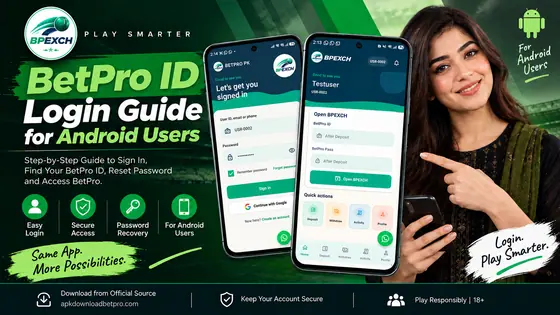
BetPro ID and Login Problems After Installation
A successful APK installation does not necessarily mean that every login attempt will succeed.
If you already have a BetPro ID, use the legitimate credentials associated with that account. Do not create unnecessary accounts simply because a login attempt fails.
Check carefully for typing errors in your username, email, phone number, or password, depending on the credentials your account uses.
If an OTP or account-verification process is presented, keep that information private.
Never send an OTP, password, recovery code, or other authentication information to someone claiming that it is required to repair your APK installation.
An APK installation problem and a BetPro ID authentication problem are separate issues and should be diagnosed separately.
BetPro Live Access After Installing the App
Users searching for BetPro Live may assume that a problem accessing a live section means the APK installation failed.
If the app installed and launches normally, that is generally a different problem from Android refusing to install an APK.
Check the device's connection and any message displayed by the application. Availability of particular services or sections can depend on the service itself and should not be inferred from the installation status alone.
This article does not claim that every BetPro Live feature is available on every device, account, network, or location.
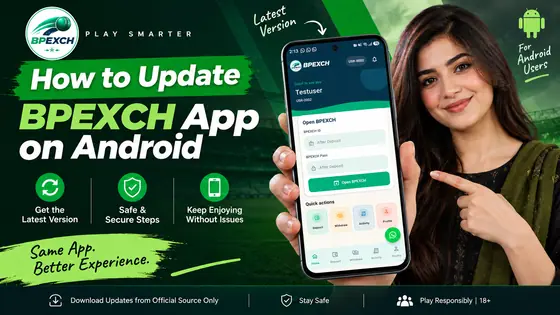
How to Update the BetPro App Safely
When updating an APK-installed application, avoid collecting different BetPro APK files from multiple third-party websites.
Before installing an update:
- Confirm that you are using the intended BetPro PK source.
- Allow the download to complete.
- Keep Android's normal security features enabled.
- Review any warning Android displays.
- Make sure important account credentials are known before uninstalling an existing application.
- Never provide passwords or OTPs to someone offering to perform an update for you.
If Android refuses to update an existing installation, there may be a conflict between the installed application and the new package.
We will cover the update process separately in a dedicated BetPro APK update guide.
Frequently Asked Questions
Why does Android say “App not installed”?
Android can display “App not installed” for several reasons. Possible causes include an incomplete or incompatible APK, insufficient storage, an existing conflicting installation, or another package-installation problem.
The message alone does not prove which cause applies to your device.
Why can't I install the BetPro APK?
First verify that the APK downloaded completely, sufficient storage is available, and the browser or file manager being used has the appropriate installation permission.
If those checks pass, consider whether an older installation is conflicting with the new APK or whether Android is reporting a compatibility problem.
Should I enable unknown app installation permanently?
No. There is generally no reason to leave installation permission enabled permanently just because you needed it for one APK installation.
Modern Android versions can control this permission for individual sources such as a particular browser or file manager. The exact settings names vary by device.
Keep Android's normal security protections enabled.
Can I use my existing BetPro ID after reinstalling?
Reinstalling an Android application and authenticating an account are separate processes.
If you have an existing BetPro ID, use the legitimate account credentials associated with it after reinstalling where the application supports that login process.
Do not share your password, OTP, or recovery information with anyone.
What should I do if BetPro Live is not opening?
If the BetPro app installs and launches but a live section does not open, first check your internet connection and any error displayed by the application.
That situation should not automatically be treated as an APK installation failure.
Avoid changing Android security settings or reinstalling the APK repeatedly unless the evidence indicates that the installation itself is the problem.
Where should I download the latest BetPro APK?
Use the intended BetPro PK download source rather than an unknown APK mirror.
Visit the BetPro PK website for the site's current Android download information and related installation guidance.
Before opening any downloaded APK, verify that you intentionally initiated the download from the source you expected.
Final Checklist
If the BetPro APK is not installing, check these items in order:
- Confirm that the APK download completed.
- Check that your Android device has sufficient free storage.
- Verify installation permission for the browser or file manager being used.
- Check for Android or device compatibility messages.
- Determine whether an older installation is causing a conflict.
- Delete incomplete files and download a fresh APK from the intended source.
- Read Android security warnings instead of automatically bypassing them.
- Keep Play Protect and other normal Android security protections enabled.
- Restart the phone and retry the installation once.
- Record the exact error if installation still fails.
Once the app installs successfully, treat BetPro ID login, account verification, and BetPro Live access as separate troubleshooting areas rather than assuming every problem is caused by the APK.
For users who need to start from the beginning, follow the complete BetPro APK download and installation guide.
BetPro PK is intended for adults aged 18+. Use the service responsibly and only where permitted by applicable law.