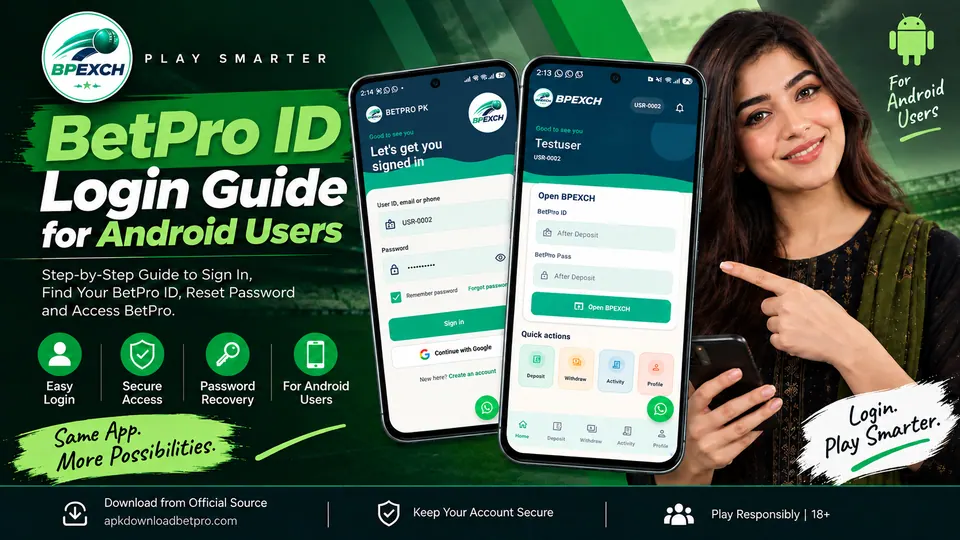
Signing in to BetPro PK on Android is straightforward once you understand which credentials belong to which part of the app.
One point is particularly important: your BetPro PK app account and the BetPro ID / BetPro Pass displayed inside the app are not necessarily the same credentials.
The app account gives you access to the BetPro PK Android application. Once signed in, the Home screen can display an Open BetPro section containing your BetPro ID, BetPro Pass and the option to open BetPro.
This guide explains the difference, shows you how to complete a BetPro login, covers password recovery and OTP verification, and provides troubleshooting steps if your BetPro ID login is not working as expected.
If you haven't installed the Android application yet, start with our BetPro APK installation guide.
1. What Is a BetPro ID?
A BetPro ID is the credential displayed for accessing the BetPro platform through the BetPro PK application.
After signing into your BetPro PK app account, you can access the Home screen. The Open BetPro section can display information including:
- BetPro ID
- BetPro Pass
- Open BetPro button
It is important not to confuse this BetPro ID with the credentials you use to sign into the Android app itself.
Think of the process as two stages:
BetPro PK app account → Sign in to the Android app → Access your BetPro ID / BetPro Pass → Open BetPro
This distinction is useful when troubleshooting because a problem signing into the BetPro PK application is different from a problem using the BetPro ID displayed inside the app.
You should never guess, modify or share your BetPro ID or BetPro Pass publicly.
2. Where to Find BetPro ID Login in the Android App
Start by opening the BetPro PK Android app.
Sign into your app account using the authentication method associated with your account.
After a successful login, the app opens the Home screen.
Look for the card titled:
Open BetPro
Within this area, the app can display:
BetPro ID
The ID associated with your BetPro access.
BetPro Pass
The corresponding credential for that access.
Open BetPro
The button used to continue from the BetPro PK application into the BetPro platform.
The important part is that you first need access to your BetPro PK app account before using the BetPro information provided inside the Home screen.
If you're still trying to install the application, use the BetPro PK download page rather than downloading an APK from an unknown source.
3. How to Log In to BetPro PK
To sign into the BetPro PK Android application:
Step 1: Open BetPro PK
Launch the installed BetPro PK app on your Android device.
Step 2: Open the sign-in screen
The app will present its account authentication screen when you are not already signed in.
Step 3: Enter your account details
Enter the email/account information associated with your BetPro PK account and your password.
Check the spelling carefully before submitting.
Step 4: Complete verification if requested
Depending on the authentication flow, you may be asked to complete an additional verification step.
Follow the instructions displayed inside the app.
Step 5: Open the Home screen
After successful authentication, you should reach the BetPro PK dashboard.
From there, locate Open BetPro.
Step 6: Use your BetPro access
The Open BetPro area can provide your BetPro ID and BetPro Pass and allow you to continue using the Open BetPro button.
Do not send these credentials to another person simply because they claim they need them to help with your account.
4. BetPro ID vs App Account/Login
This is one of the most important distinctions in this guide.
BetPro PK app account
Your app account is used to authenticate you in the BetPro PK Android application.
This is the account involved when you:
- open the BetPro PK login screen;
- sign into the application;
- use Forgot Password;
- complete applicable account verification;
- access your app dashboard.
BetPro ID
Your BetPro ID is displayed inside the authenticated BetPro PK experience, in the Open BetPro section.
It is used for the BetPro platform access provided through the app.
BetPro Pass
The BetPro Pass shown alongside the BetPro ID belongs to that BetPro access.
Do not automatically treat it as your Android app account password.
In short:
App credentials = access to the BetPro PK application
BetPro ID + BetPro Pass = BetPro access displayed within the app
Keeping these credentials conceptually separate makes login troubleshooting much easier.
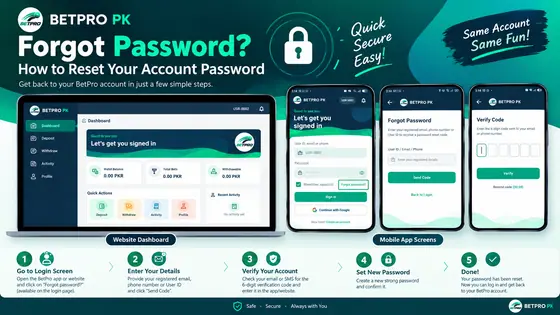
5. What to Do If You Forget Your Password
If you cannot remember the password for your BetPro PK app account, use the application's password-recovery flow instead of repeatedly guessing.
On the login screen, select Forgot Password.
Enter your email
Provide the email associated with your BetPro PK account.
Make sure it is entered correctly.
Complete OTP verification
The password-recovery process may send an OTP to verify the request.
Enter the OTP only in the intended verification screen.
Set your new password
After successful verification, follow the app instructions to create your new password.
Once the password has been reset successfully, existing sessions may be revoked as part of the account-security process. You will then need to sign in again using the new password.
Never send your password or OTP to someone who contacts you through WhatsApp, social media or another unofficial channel claiming they need it to reset your account.
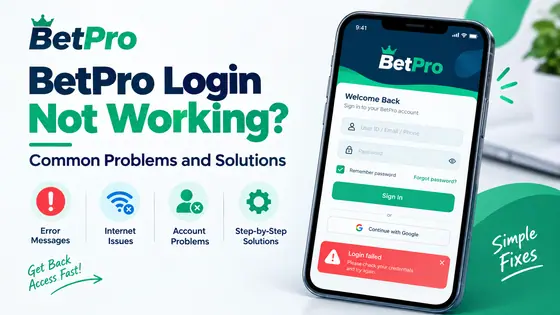
6. BetPro ID Login Not Working
First determine which login is actually failing.
This is important.
Can't sign into the BetPro PK app?
Check:
- your account/email information;
- your password;
- your internet connection;
- whether you recently changed your password;
- whether additional verification is required.
If you cannot remember your password, use Forgot Password rather than trying many different passwords.
App login works, but BetPro access doesn't?
If you can reach the BetPro PK Home screen but are experiencing a problem with the Open BetPro section, that is different from an app-account login failure.
Do not create another BetPro PK app account simply because the BetPro access inside your existing account is not behaving as expected.
Identify which stage fails before attempting account recovery.
App itself isn't working?
A login problem can sometimes actually be an installation or app-version problem.
If the APK will not install, use our BetPro APK Not Installing? Android Troubleshooting Guide.
If you already have the application and need the current release, see How to Update BetPro PK App on Android.
7. Incorrect Email or Password
An incorrect email or password message generally means the credentials submitted on the login screen were not accepted.
Start with the simple checks.
Check the email address
Look for:
- spelling mistakes;
- missing characters;
- accidental spaces;
- the wrong email account.
If you maintain several email addresses, make sure you're using the one associated with the relevant BetPro PK account.
Check the password
Android keyboards can make password-entry mistakes easy to miss.
Check whether:
- capitalization is correct;
- a space was accidentally entered;
- your keyboard changed a character;
- you're entering an old password after recently changing it.
Don't repeatedly guess
If you're genuinely unsure of the password, use Forgot Password.
Repeated guessing is less useful than completing the intended recovery process.
8. OTP and Account Verification
An OTP, or one-time password, is a temporary verification code used during applicable security and authentication processes.
For example, an OTP can be involved in password recovery.
Keep OTP codes private
Treat an OTP like a password.
Do not:
- post it in a screenshot;
- send it in a social-media message;
- forward it to another person;
- give it to someone claiming to be support;
- publish it in a review or comment.
General account-security guidance likewise treats verification codes as secrets that should never be shared.
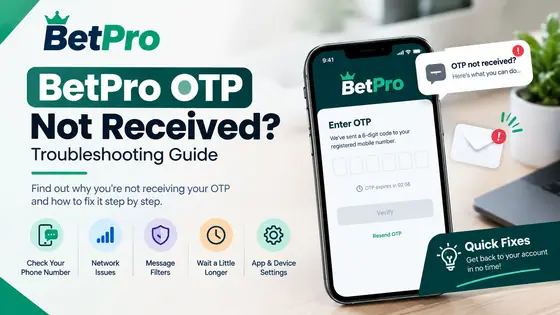
What if the OTP doesn't arrive?
Start by confirming that you entered the correct email address.
Then:
- Wait briefly for delivery.
- Check your inbox.
- Check spam or junk folders where applicable.
- Return to the intended verification screen.
- Request another code through the app flow if needed.
Avoid repeatedly requesting codes in rapid succession.
What if you receive an OTP you didn't request?
Do not share or enter it on behalf of another person.
An unexpected verification code may indicate that someone entered your account information or attempted an authentication action.
If you suspect unauthorized access, secure your account and change the relevant password.
9. Logging In on a New Android Device
If you install BetPro PK on another Android device, sign into your existing app account rather than automatically creating a new account.
Use the account information associated with your existing BetPro PK registration.
Depending on the security flow, a new device may require additional verification.
Complete only the verification steps presented through the intended app/account process.
If you receive a new-device or security notification for a login you initiated, review it and complete the required authentication.
If you receive a login notification that you did not initiate, treat it seriously.
Change your password and secure the account rather than approving an unfamiliar attempt.
For the Android device itself, using a strong screen lock helps protect data from unauthorized access. Android recommends using a strong PIN/password and supports biometric protection on compatible devices.
10. Keeping Your BetPro Account Secure
Account security doesn't need to be complicated.
A few habits make a significant difference.
Use a unique password
Avoid using the same password for BetPro PK, email, social media and other important accounts.
Password reuse creates unnecessary risk because one compromised service can expose credentials that work elsewhere.
Google's general password-security guidance similarly recommends unique passwords for important accounts.
Never share your password
A password should remain private.
Do not send it through:
- WhatsApp;
- Telegram;
- Facebook;
- social-media comments;
- email replies to unknown senders;
- public screenshots.
Never share OTP codes
An OTP is intended to verify a specific authentication action.
Anyone asking for your OTP should be treated with caution.
Protect your BetPro ID and BetPro Pass
Don't publish screenshots that expose active credentials.
If you're sharing a screenshot for troubleshooting, check it carefully first and hide sensitive information.
Protect your Android device
Use a PIN, password, fingerprint or other appropriate screen lock supported by your device.
Android provides screen-lock and, on compatible devices, biometric security options designed to reduce unauthorized access.
Use the intended BetPro PK application
Start from the BetPro PK website or its download page when you need the Android APK.
Avoid entering credentials into an application obtained from an unknown source simply because it uses the BetPro name or logo.
11. BetPro Login Troubleshooting Checklist
If BetPro login isn't working, go through this checklist in order.
App account
- Are you using the correct account/email?
- Is the password entered correctly?
- Did you recently reset or change the password?
- Are you confusing your BetPro ID with your app login?
Password recovery
- Have you tried Forgot Password?
- Did you enter the email associated with the account?
- Did you check for the OTP?
- Are you using the latest verification code provided by the active recovery process?
BetPro access
- Can you successfully reach the app Home screen?
- Can you see the Open BetPro section?
- Are you distinguishing BetPro ID/BetPro Pass from the app account credentials?
Device
- Does the phone have an internet connection?
- Is the BetPro PK application opening normally?
- Have you restarted the app/device if it is behaving unexpectedly?
- Are you using the intended/current application build?
Security
- Did you receive a login or OTP notification you did not initiate?
- Have you shared your credentials with anyone?
- Are you using the same password on several websites?
- Is your Android device protected by a screen lock?
If the problem is actually installation-related rather than account-related, switch to the BetPro APK troubleshooting guide.
12. Frequently Asked Questions
What is my BetPro ID?
Your BetPro ID is the ID displayed for BetPro access inside the BetPro PK app. After signing into your app account, check the Open BetPro section on the Home screen.
Is my BetPro ID the same as my BetPro PK app login?
No. They should be treated as separate credentials. Your app account authenticates you in BetPro PK, while the BetPro ID and BetPro Pass are displayed within the app for BetPro access.
Where can I find my BetPro Pass?
After signing into the BetPro PK application, check the Open BetPro section on the Home screen. Do not publish or unnecessarily share the credential displayed there.
What if I forget my BetPro PK app password?
Use Forgot Password from the login screen. Enter the email associated with your account and complete the verification/reset process presented by the app.
Should I create another account if I can't log in?
Not simply because you forgot your password. Try the intended password-recovery process first.
Why am I receiving an OTP?
An OTP can be used to verify applicable account-security actions, including password recovery. Enter it only into the intended verification flow.
Can I give my OTP to support?
You should treat OTP codes as secret authentication information and never share them with another person.
Can I log into BetPro PK on another Android phone?
You can use your existing app account on another device where supported. Additional security verification may be required. Do not create a second account merely because you're using a different phone.
What should I do if I receive a login notification I don't recognize?
Do not approve an authentication attempt you didn't initiate. Secure your account and change your password if you suspect someone else has obtained your credentials.
Where should I download the BetPro PK Android app?
Use the BetPro PK download page rather than an unidentified third-party APK source.
What if BetPro PK won't install on my Android phone?
How do I update BetPro PK?
See How to Update BetPro PK App on Android for the complete update procedure.
13. Responsible Use and 18+ Notice
BetPro PK and related real-money betting or gaming services are intended for adults aged 18 and over where their use is legally permitted.
Users should check the laws and regulations applicable in their own location before participating. Access to an application or website does not by itself establish that every related activity is permitted in every jurisdiction.
If you choose to participate in real-money betting or gaming:
- decide your spending limit beforehand;
- use only money you can afford to lose;
- don't use funds needed for rent, food, bills or other essentials;
- avoid increasing stakes in an attempt to recover previous losses;
- take breaks and keep track of the time spent;
- stop if gambling begins affecting your finances, relationships, work or wellbeing.
Account security is also part of responsible use. Keep your BetPro PK password, BetPro ID, BetPro Pass and OTP codes private and secure your Android device against unauthorized access.
For more help with the Android application, read BetPro App for Android in Pakistan.
For a new installation, follow How to Download and Install BetPro APK on Android in Pakistan.
For update instructions, read How to Update BetPro PK App on Android.
And if Android refuses to install the APK, use the BetPro APK Not Installing troubleshooting guide.