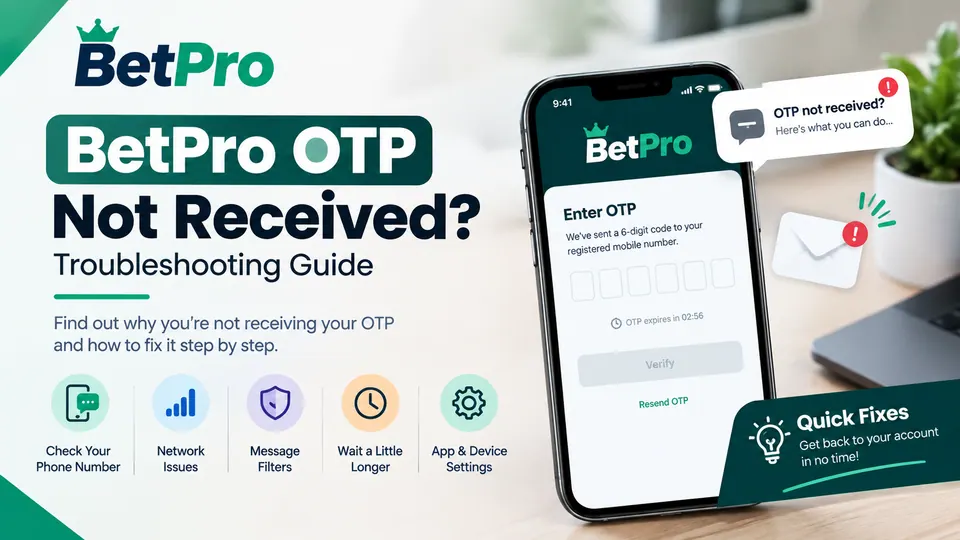
Not receiving a BetPro OTP can be frustrating, especially when you're trying to log in, verify your account, or complete an account-related step. In many cases, the issue is
temporary and can be caused by a delayed SMS, an incorrect phone number, network issues, message filters, or an app-related issue.
Before attempting complex solutions, it's important to identify where the problem is occurring. If your OTP request is accepted but the verification code isn't arriving, follow
the troubleshooting steps below one by one.
This guide explains the most common reasons why you might not be able to receive a BetPro OTP and explains what you can do to safely resolve the issue.
What Is a BetPro OTP?
An OTP, or One-Time Password, is a temporary verification code used to confirm that a user has access to the phone number linked to an account.
Depending on the account system, an OTP may be required during login, verification, account recovery, or other security-related steps. Since an OTP is temporary, it usually
must be entered within a specific timeframe set by the service.
If you are experiencing general login issues, our BetPro ID Login Guide for Android Users covers the complete login process, including account access and common
verification problems.
Why Is My BetPro OTP Not Being Received?
There are several reasons why an OTP might not arrive. The issue does not necessarily mean your account is blocked or that there is a problem with your login details.
Common reasons include:
A temporary delay in SMS delivery
Weak or unstable mobile network connection
Incorrect or outdated phone number
Multiple OTP requests within a short period
SMS filtering or blocking on the phone
Temporary service or network issues
An outdated app version
Issues with the app or device
The verification request was not completed correctly
The best approach is to check these possibilities one by one rather than repeatedly requesting new codes.
1. Wait a Few Minutes Before Requesting Another OTP
One of the first things to do is simply wait.
OTP messages may take longer than expected to arrive due to mobile network congestion, SMS delivery delays, or temporary technical issues.
If you request a code and it does not appear immediately, avoid repeatedly pressing the resend button.
Wait a few minutes and check your messages again. Requesting multiple codes in quick succession can also make it difficult to determine which code is the latest one.
If a new OTP arrives, use the latest valid code instead of the older message.
2. Check That Your Phone Number Is Correct
The OTP can only be sent to the number associated with the verification request.
Carefully check the phone number if it is displayed on the login or verification screen. Look for missing digits, an incorrect country code, or a non-functional number.
If the displayed number is not yours or appears incorrect, do not proceed with requesting OTPs. The issue may need to be resolved through the account support system.
Never share an OTP with anyone who asks for it.
3. Check Your Mobile Network
A weak mobile signal can delay SMS delivery.
Ensure your phone has a stable mobile connection. If the signal is weak, move to an area with better coverage and wait for the message to arrive.
You can also check if other SMS messages are coming through normally. If you are not receiving messages from other services, the issue might be related to the mobile
network or your SIM card rather than the BetPro verification request.
If standard SMS messages are working but the OTP is still missing, proceed to the next troubleshooting steps.
4. Check Your SMS Inbox and Message Filters
Sometimes the OTP arrives but is easily overlooked.
Open your SMS app and carefully check for new messages. Also, check for blocked numbers, spam protection, message filtering, and other SMS management features
available on your phone.
Some Android devices use spam detection that can separate certain messages from the standard inbox.
If you use third-party messaging or security apps, check if they might be filtering out automated verification messages.
5. Avoid Requesting Multiple OTPs Too Quickly
Repeatedly requesting the OTP code is one of the most common mistakes users make when the code doesn't arrive immediately.
For example, requesting a new code multiple times in a short period can result in several messages arriving at different times.
Instead, follow a simple process:
Request the OTP only once.
Wait a few minutes.
Check your SMS inbox.
If the code still hasn't arrived, use the resend option available only once.
Wait again before making a new request.
This makes it easier to identify the most recent verification code and avoids unnecessary repeated requests.
6. Restart Your Phone
A simple device restart can sometimes resolve temporary communication or application-related issues.
Restart your Android phone and wait for it to reconnect to the mobile network. Then, open the BetPro app and try the verification process again.
This step is especially useful if your phone has recently experienced network problems, SIM card connectivity issues, or applications that are not responding normally.
If you are also experiencing installation errors or problems with the application, you can review our BetPro APK Not Installing? Android Troubleshooting Guide for
additional Android troubleshooting steps.
7. Check Whether the BetPro App Needs an Update
An outdated app can sometimes cause unexpected login or verification problems.
Check that you are using the latest version of the BetPro app. If an update is available from the official source, follow the standard update procedure.
Do not download APK files from unknown websites just because a verification code (OTP) is not arriving. Verify the provenance before installing or updating an app.
For users who need help with the update process, our guide on how to update the BetPro app on Android explains the general update and troubleshooting procedure.
8. Check your internet connection
Although the OTP code itself may arrive via SMS, the app still needs an active internet connection to communicate with the service.
Switch between Wi-Fi and mobile data, if possible, and check if the app loads normally.
If other websites and apps are also unable to connect, the problem may be with your internet connection.
Once the connection is stable, close and reopen the BetPro app and try the verification process again.
9. Close and Reopen the App
Temporary application errors can sometimes affect login or verification screens.
Close the BetPro app completely instead of letting it run in the background. Then reopen it and start the login or verification process again.
Make sure you are using the correct login page or account option and carefully follow the on-screen instructions.
If you recently installed the application, you can also review How to Download and Install BetPro APK on Android in Pakistan for general installation guidance.
10. Make Sure You Are Using the Correct Account
Another possible reason for confusion is using a different account or phone number than the one associated with the original registration.
If you have more than one account or have changed your phone number, carefully check the account information displayed during the login process.
Your BetPro app account and BetPro ID should not be confused with unrelated login details. If you are unsure about the login process.
What If the OTP Still Does Not Arrive?
If you have checked your phone number, network connection, SMS inbox, app version, and internet connection but the OTP still does not arrive, the problem may not be
something you can fix directly from your phone.
At this point, avoid repeatedly asking for codes or changing account information unnecessarily.
Instead, use the official support or account help option available to you and provide only the information needed to identify the problem.
When contacting support, explain:
With the OTP not being received
When you first noticed the problem
If normal SMS messages work
Either you already tried requesting another code
Whether the problem occurs every time or only occasionally
The version of the device or app involved, if prompted
Final Thoughts
A missing BetPro OTP does not necessarily mean that your account is blocked or that your login details are incorrect. In many cases, the issue may be related to SMS delivery,
network connectivity, an incorrect phone number, repeated OTP requests, or an app-related issue.
Start with the simplest checks: wait a few minutes, confirm the phone number, check your mobile signal and SMS inbox, avoid repeated OTP requests, and restart the app or
device. If the issue persists, make sure the app is updated and that you’re using the correct account and verification process.
Most importantly, keep your OTP and other account security information private. A legitimate support process shouldn’t require you to publicly share a one-time verification code.