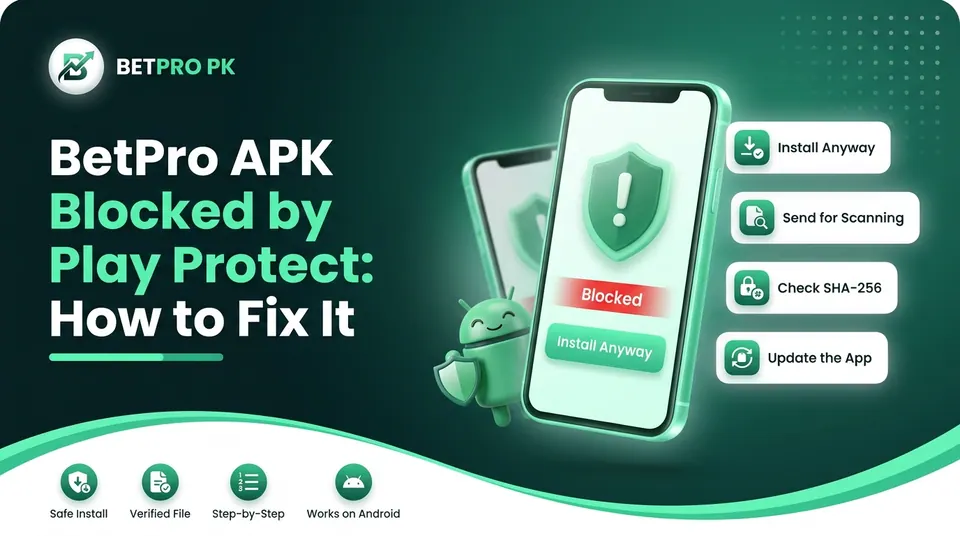
If Play Protect blocks the BetPro APK, tap More details, then Install anyway. If you see “App scan recommended”, tap Send this time and wait. If there is no “Install anyway” button, stop. Download the file again from our download page, check its SHA-256 checksum, and only then try again.
If your file doesn’t match this table, don’t install it. That includes a different size or checksum.
What “Blocked by Play Protect” means
Play Protect is Google’s built-in scanner on Android phones that have Google services. It checks apps when you install them and again from time to time. The BetPro app doesn’t come, from Google Play, so Play Protect has no record of who made it. That is why the warning appears.
A warning doesn’t prove the file is harmful. It also doesn’t prove the file is safe. It only means Google can’t vouch for the app. Google’s own analysis found over 90 times more malware from sideloaded sources than on Google Play, so the warning deserves a few minutes of checking, not a quick tap. Google’s analysis found over 90 times more malware from sideloaded sources than on Google Play.
Why Play Protect blocks the BetPro APK
Most blocks come from one of four causes:
The app is new to Google. Play Protect hasn’t scanned this exact file before.
The developer is unknown. Apps from outside the Play Store often have no developer record Google recognises.
The file was changed or damaged. A copy from a third-party site, or an interrupted download, may not match the original.
A newer rule on your phone. Some phones now refuse certain outside installs completely. This is the “hard block” explained below.
The third cause is the one to rule out first. Fake and edited APKs are common in this niche, as our guide on fake BetPro apps explains.
Before you tap “Install anyway”: the 3-minute check
Do these 2 things first. They stop most problems.
Check where the file came from. Only use the file from our download page. Don’t use a file sent to you on WhatsApp or found on a forum.
Check the version and size. Compare them with the download facts table above. Even a small difference means it is a different file
Fix 1: Tap “Install anyway” (the most common fix)
- Open the downloaded file.
- When “Blocked by Play Protect” appears, don’t tap “Got it” or “OK”. Tapping those cancels the install.
- Tap More details. It is often a small link or arrow.
- Tap Install anyway.
- Confirm with your fingerprint or PIN if asked.
- Tap Open when it finishes.
The wording changes slightly between phones, but the idea is the same. If it fails at this point, read our step-by-step BetPro APK installation guide.
Still stuck? Contact our support team and send a screenshot of the message. Tell us your phone model and Android version, and we’ll tell you which fix fits.
Fix 2: Send the app for scanning
Sometimes Play Protect says it hasn’t seen the app before and offers a scan. The prompt gives three choices: Always send unknown apps, Send this time, or Don’t send.
Choose Send this time. Scanning sends app details to Google for a code level check. It usually takes a few seconds. Wait for the result before you open the app.
One honest warning: the scan may not be the end of it. A security researcher who tested a known malware sample reported that Play Protect flagged the app as malicious a couple of hours after the cloud scan. If Play Protect later flags the BetPro app, uninstall it and read Fix 5.
Fix 3: Delete the file and download it again
A damaged file can trigger a block or a “parse” error. Try this:
Delete the old file from your Downloads folder.
Connect to Wi-Fi or a steady 4G signal.
Download again from our download page and wait until it says complete.
Check the size and checksum again.
If the download itself keeps failing, see BetPro APK download errors.
Fix 4: There is no “Install anyway” button (a hard block)
Some phones now block certain outside apps completely, with no way to continue on the warning screen. This happens when Play Protect “hard blocks” an install, and the Install Anyway button is missing.
Don’t try to force it. Work through this order:
Check you have the latest file. An old version may be flagged. See how to update the BetPro app on Android.
Check the checksum (above). A mismatch means a bad file.
Check your phone is certified. In the Play Store, go to Settings → About → Play Protect certification. A rooted phone or an unlocked bootloader can cause its own warning.
Check phone specific blockers (see the brand notes below).
Message us. Send a screenshot and your phone model. We would rather help than have you work around a security warning.
Last resort, and our honest view: Google’s settings do let you switch off “Scan apps with Play Protect” (Play Store → profile icon → Play Protect → Settings). If you pause scanning, there is a chance Play Protect scans the app later and removes it without asking.
We don’t recommend this for a real money app. If you still decide to, do it only after the checksum matches, install the app, and switch scanning back on straight away.
Fix 5: Play Protect removed the app after installing
If you see “Harmful app removed” or the app disappears:
Don’t reinstall the same file.
Check whether a newer version is on our download page.
Check the checksum on the new file before you install it.
If it happens again, contact our support team with the date and a screenshot.
Phone-brand notes
Some phones add their own check on top of Play Protect, so you may see a second warning.
Samsung: Auto Blocker can stop installs from outside the Play Store or Galaxy Store. Look in Settings → Security and privacy → Auto Blocker. Menu names can vary by One UI version.
Xiaomi, Redmi, Poco: The built-in Security app may run its own scan and show another prompt.
Infinix, Tecno, Oppo, Vivo, Realme: These can show their own virus-scan or “risky app” message. The wording differs by model.
If the app still won’t install after you’ve dealt with the warning, check which Android phones can run the BetPro APK and our guide to BetPro APK not installing.
Why we don’t cover bypass installers
Some guides suggest tools that install apps without going through Play Protect’s normal check. They take away the warning, but not the risk. They also need extra setup, like wireless debugging, which most people don’t need. For an app that holds your money, we think the warning is worth listening to.
After you install
- Keep Play Protect switched on.
- Never share your password or OTP with anyone.
- Only use updates from our download page.
- Read our BetPro app guide for Pakistan for account and payment help.
- You must be 18 or over. Real money play carries risk, so read our responsible play information.
Conclusion
A Play Protect warning on the BetPro APK is common, and most of the time it’s fixable in a minute. Check the file first, then tap “More details” and “Install anyway”, or send the app for scanning if Play Protect asks. If there’s no button, don’t force it. Re download, check the checksum, look at your phone brand’s own blockers, and message us with a screenshot. Keep Play Protect switched on, and only install files from our download page.